

Switches, Wi-Fi, routers and firewalls for business networks
This category brings together the equipment that connects and protects a business network: switches, access points, routers, firewalls, SD-WAN devices, cards and modules, transceivers and optics, and the cables and power parts that go with them. Brands include Huawei, Cisco, Fortinet, Juniper, Arista, H3C, Aruba, HPE, NVIDIA Mellanox, Alcatel-Lucent, Ruijie and Dahua.
Start from a subcategory, or use the shortcuts and the filters on the left to narrow by managed or unmanaged, PoE, port count, Wi-Fi standard and optic type. For a multi-site or refresh project, send us your part numbers or your topology and we will prepare a quote.
Networking
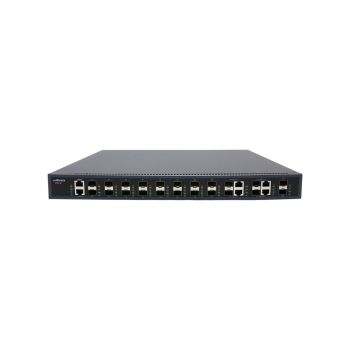
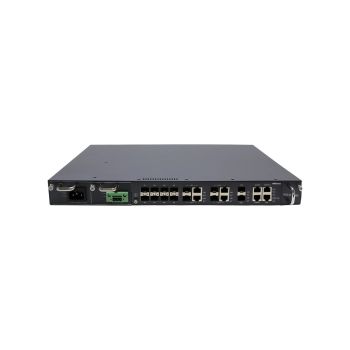
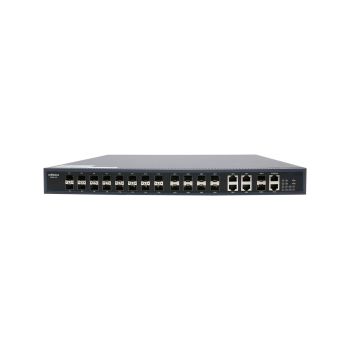
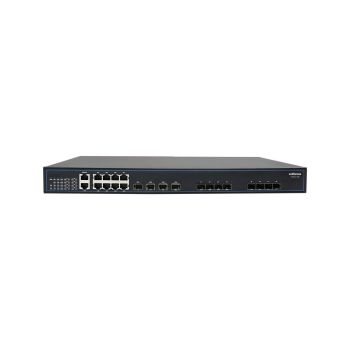
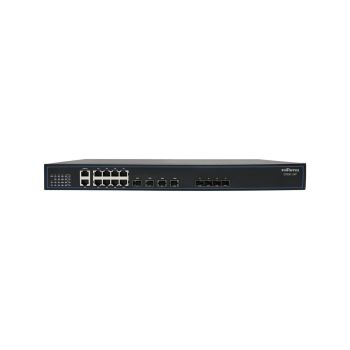
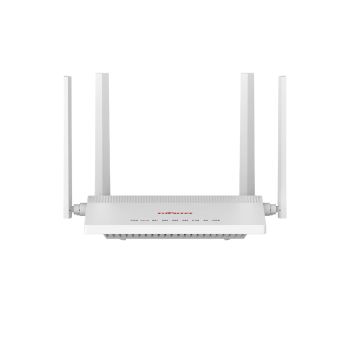
How to choose network equipment
Network purchases go wrong when a device is chosen before the role is clear. Decide where the device sits (access, distribution, core, edge or perimeter), what it must connect, and which speeds and power it needs. The tables below turn each answer into a subcategory or a filter.
Which equipment for which job
| Situation | What to look for | Filter |
|---|---|---|
| Connecting desks, phones and cameras | A managed access switch with enough ports and PoE for powered devices | PoE |
| Network that needs VLANs, monitoring and security policies | A managed switch: it supports VLANs, port control and remote management | Managed |
| Small, simple or temporary setup | An unmanaged switch is plug-and-play, with no configuration | Unmanaged |
| Wi-Fi for staff and guests | Access points matching your devices: Wi-Fi 6 or newer for dense environments | Wi-Fi 6 |
| Linking switches and servers over fibre | SFP-type transceivers matched to the port speed, the medium and the distance | Optics |
| Protecting the site and its internet link | A firewall or router with the security and routing functions you run | Firewalls |
Product types compared
| Type | Role in the network | Typical connections | Keep in mind |
|---|---|---|---|
| Switches | Connect wired devices inside a site | Copper Ethernet ports for devices, SFP or SFP+ uplinks to other switches | Managed or unmanaged, port count, PoE budget, uplink speed |
| Access points | Provide Wi-Fi to laptops, phones and IoT | One Ethernet port to a PoE switch, often powered by it | Wi-Fi standard, coverage and the number of simultaneous clients |
| Routers | Route traffic between networks and to the WAN | WAN link from the provider, LAN to a switch | Routing features, WAN interfaces and VPN needs |
| Firewalls | Filter and inspect traffic at the perimeter or between zones | Between the WAN and the LAN, plus optional DMZ ports | Throughput with security services enabled, VPN and licences |
| SD-WAN | Steer traffic across several links between sites | Multiple WAN links, central orchestration | Often depends on a controller or subscription from the vendor |
| Transceivers & optics | Convert a port to copper or fibre at a given speed | Plugged into SFP, SFP+ or larger cages, then a cable | Form factor, speed, medium, connector and reach must match both ends |
Specifications that make a difference
Managed, ports and PoEA managed switch offers VLANs, port monitoring and remote configuration; an unmanaged one does not. Count the ports you need now plus growth, and check the PoE budget: the total watts the switch can deliver to powered devices, which can be lower than the sum of all ports.
Uplinks and rack spaceAccess ports serve end devices, while uplink ports (often SFP or SFP+) connect to the rest of the network and set the speed of that link. Check the rack units a device occupies so it fits your cabinet.
Wi-Fi standard and opticsWi-Fi 5, 6, 6E and 7 differ in speed, efficiency in busy areas and the bands they use. For optics, match form factor, speed, medium (multimode, single-mode or copper), connector and reach: multimode suits short runs inside a building, single-mode suits longer distances.
Compatibility and ecosystems
Network gear is usually deployed within one vendor's ecosystem for management, licences and support. Transceivers and some features can be vendor-coded or licence-dependent, so check the exact part number on each product page and tell us your existing equipment if you want a shortlist that fits it.
Servers & IT · Video Surveillance · Accessories & Licences
Where this equipment is used
Offices and campusesAccess switches with PoE, Wi-Fi access points and distribution switches linked by fibre uplinks.
Data centres and server roomsHigh-speed switches and optics connecting servers and storage, with attention to cabling and airflow.
Branches and retail networksRouters, firewalls and SD-WAN to link many small sites securely to headquarters.
Hotels, schools and hospitalsDense Wi-Fi, segmented networks and managed switching for guests, staff and building systems.
Security and industrial sitesPoE switching for cameras and sensors, with firewalls separating them from the business network.
Send us these details for a faster quote
- Part numbers or models you need, or the current equipment you are replacing
- Role and topology: access, distribution, core, edge, number of sites
- Ports, speeds and PoE needs, including uplinks and optics type and distance
- Wi-Fi requirements: number of users, area and Wi-Fi standard
- Preferred brand or ecosystem, and any licences or support terms required
Plan the whole network in one quote
BTOBBuy works quote first. Send your list or your topology and we reply with an offer, including mixed orders of switches, access points, optics and cables.
Request a quotesales@btobbuy.com · +86 19548825798Frequently asked questions
What is the difference between a managed and an unmanaged switch?
A managed switch can be configured for VLANs, port security, monitoring and remote management. An unmanaged switch simply forwards traffic with no configuration, which suits small or simple setups.
What does the PoE budget mean?
It is the total power a switch can supply to all connected powered devices. A 48-port PoE switch may not power every port at full level, so add up the needs of your phones, access points and cameras.
Which Wi-Fi standard should I choose?
Wi-Fi 6 or newer is the sensible choice for new deployments with many devices, as it handles busy environments more efficiently. Wi-Fi 5 can still serve lighter needs, and Wi-Fi 6E and 7 add newer bands and higher peak speeds for compatible clients.
How do I pick the right SFP or optic?
Match the form factor of the port (SFP, SFP+ and so on), the speed, the medium (multimode fibre, single-mode fibre or copper), the connector and the distance. Both ends must be compatible, and some switches expect vendor-coded modules.
Do I need a router and a firewall, or one device?
Many firewalls also route and handle VPN, so small sites often use one device. Larger sites may keep a dedicated router for WAN links and a firewall for security inspection.
Can I order switches, access points and optics in one quote?
Yes. Send us the list or the topology and we will prepare one quote covering all equipment, cables and modules.
